Every deal weighted by its chance.
A deal is a <Deal> in the company's code. Its stage has a win probability, so the pipeline shows what is open and what it is likely to bring, by the month each deal expects to close.
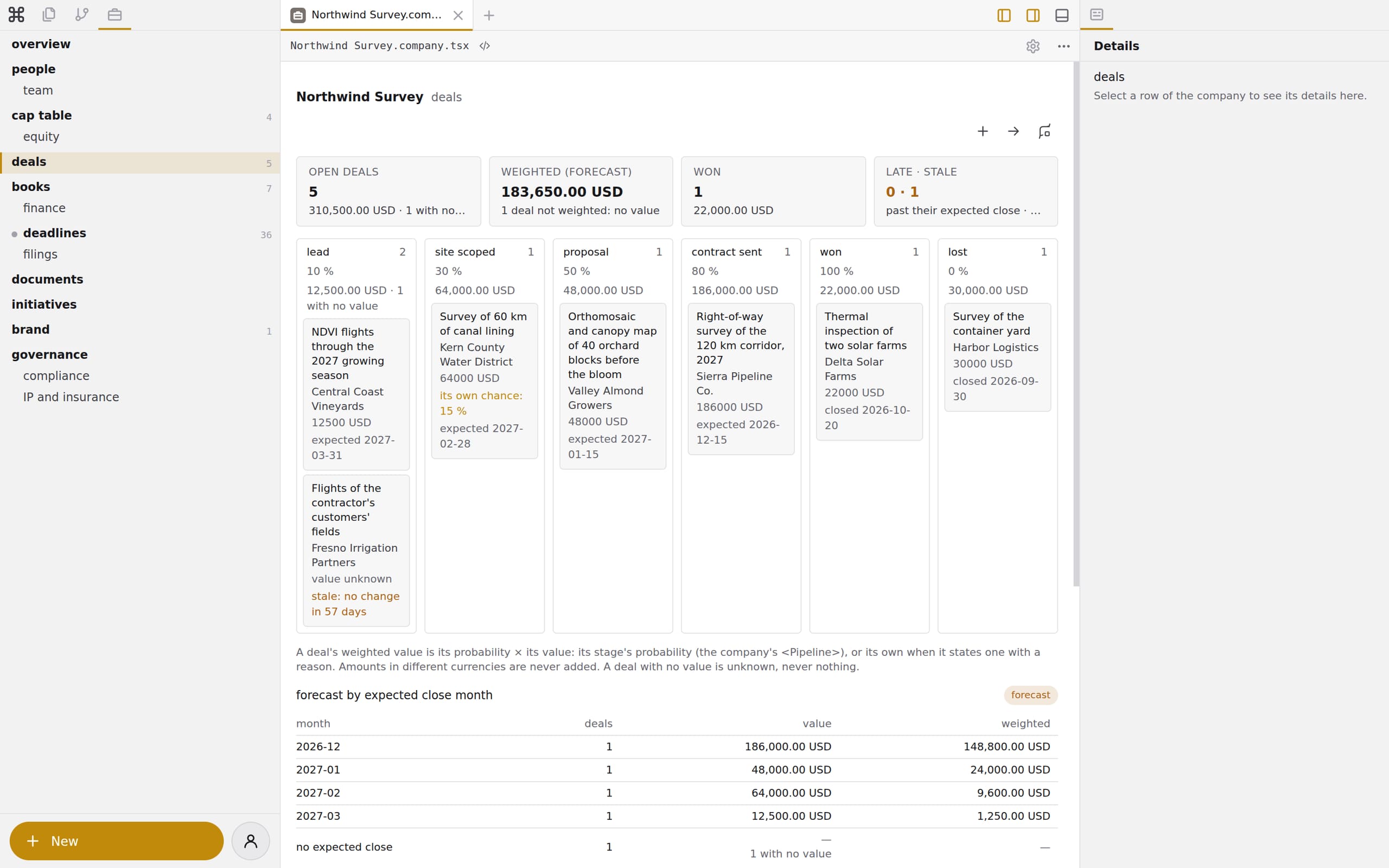
A deal in one element.
Northwind Survey states the surveys it is selling as deals, each with a customer of its relationships folder. Each stage change is a <DealMove> in the deal. A deal whose scope is not set has no value, and the view says "value unknown".
The chances are code too. A <Pipeline> lists the stages in order, each with its probability. A company that declares none has lead 10 %, qualified 25 %, proposal 50 % and negotiation 75 %. A deal may state its own probability, with the reason.
<Deal id="valley-almond-bloom" title="Orthomosaic and canopy map of 40 orchard blocks before the bloom"
      counterparty="valley-almond" stage="proposal" value="48000" currency="USD" expected="2027-01-15" since="2026-09-02">
  <DealMove from="lead" to="scoped" at="2026-09-16T15:00:00Z" by="person:lin" />
  <DealMove from="scoped" to="proposal" at="2026-10-21T20:45:00Z" by="person:lin" />
</Deal>
A forecast, labelled forecast.
The open deals' value and weighted value, by expected close month and by currency. Each stage change is recorded with its time and who made it, so the conversion between stages comes from what happened.
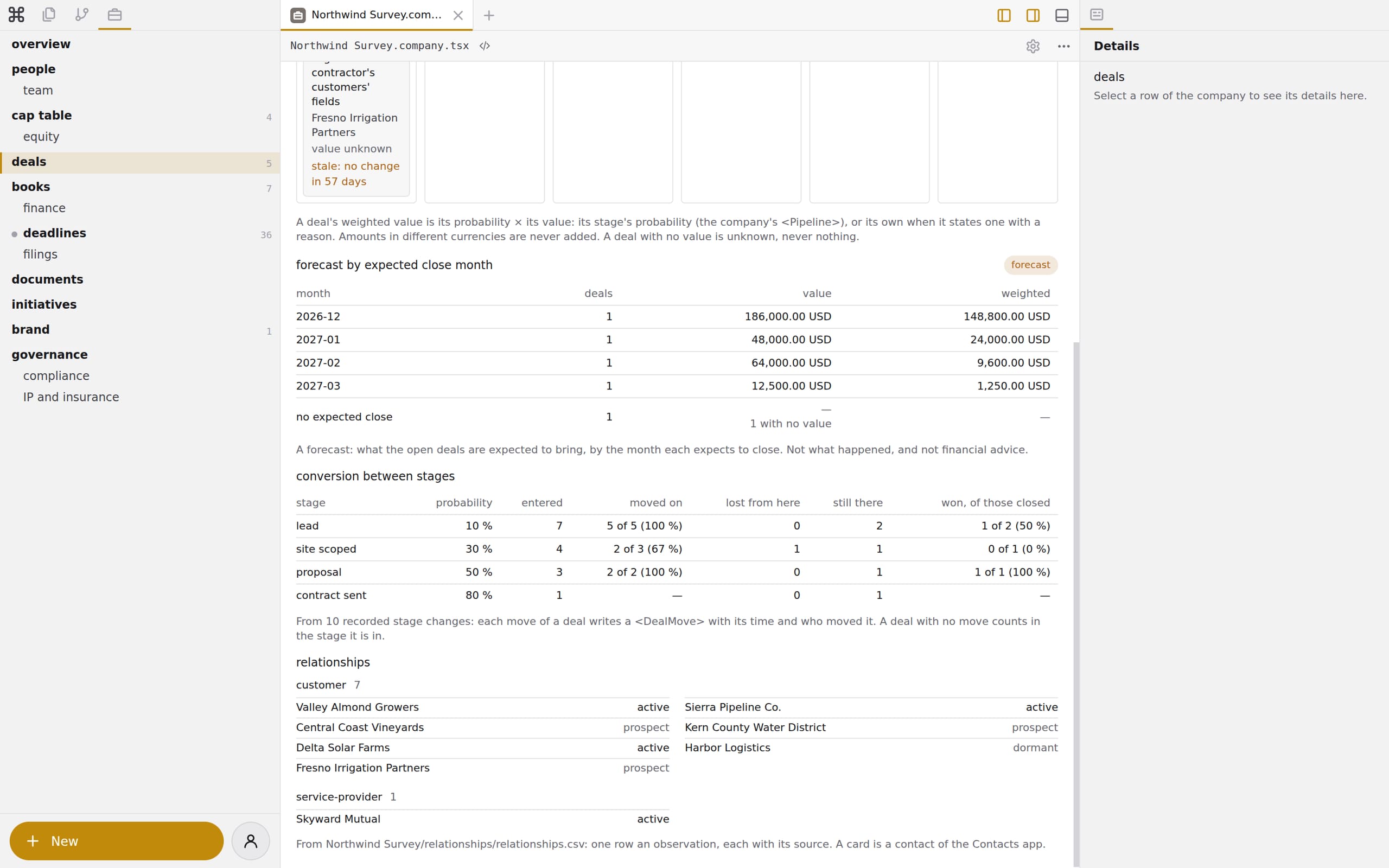
Captured in the workbench: the forecast of Northwind Survey, an example company, and the conversion between its stages.
Put your pipeline in your company's code.
Add a deal from the company app, or ask an agent to keep the pipeline true.