One shell, every file.
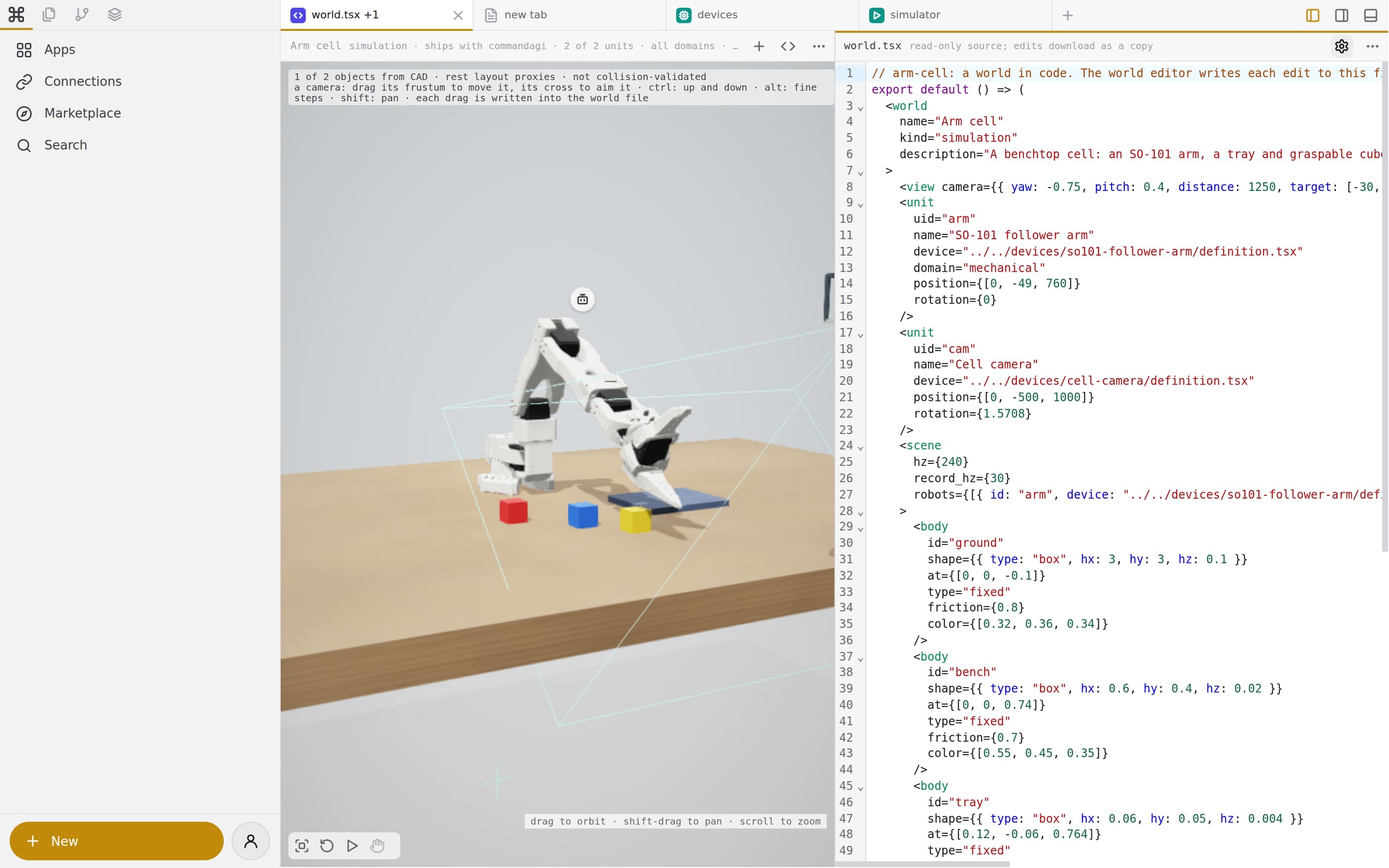
Panes, tabs and three regions around them. Open a world, a part, a board or a run, and the app that knows that file opens in the pane. The same shell runs in a browser tab, the desktop app and the phone app.
How a file finds its app
A pane opens a file, the registry picks the app.
Each pane is in a folder of a drive. A file's extension names its kind; the app registry (apps.json) and the pane editors (editors/all.js) say which app opens that kind. The focused pane fills the left, right and bottom regions with its tabs.
Counted in the code
65 apps, one registry.
The registry at this commit: 42 apps a person opens, 3 parts that other apps embed, and 20 shell pages (the account, the files home, onboarding). 19 of the apps are the operators' admin pages.
- entries in the app registry
- 65
- pane editors that open a file without an app (a stream, a run, G-code, a Gerber)
- 31
- file extensions the apps open, from
.3d.tsxto.step,.usdzand.pdb - 201
- kinds of new document a person can start from the new menu
- 19
packages/appkit/workbench/apps.jsonOutput case-studies/workbench/stats.jsonTool scripts/sites/case-studies.mjs workbenchRan on This computer (dell-gb10-1), reading the checkoutWhen One shell, three clients
The tab, the desktop and the phone run the same build.
The desktop app stages the workbench as a resource and runs this computer's host from it. The phone app's home screen is the hosted workbench in a web view. The workbench and the desktop app carry one version, and a test holds them equal.
- clients of one shell: a browser tab, the desktop app, the phone app
- 3
@commandagi/host, thecommandagicommand, on npm- 0.6.8
- apps with operations an agent calls as tools
- 12
deployments/clients/Output case-studies/workbench/stats.jsonTool scripts/sites/case-studies.mjs workbenchRan on This computer (dell-gb10-1), reading the checkoutWhen Open a file in the workbench.
Start in a browser tab, or install the desktop app for this computer's files and devices.